

A Step-by-Step Guide to Creating a Laser Cut Box
Mar
Estimated reading time: 8 minutes
Key Takeaways
- Design is Crucial: A precise digital design using software like Adobe Illustrator, Inkscape, or a box generator is the foundation for a successful project. Understanding concepts like finger joints and kerf is essential for parts to fit together correctly.
- Material & Calibration Matter: The choice of material, such as Birch Plywood or MDF, defines the box’s final look and feel. Calibrating your laser’s focus, power, and speed, and performing a test cut are critical steps for a clean, accurate result.
- Assembly & Finishing are Key: The process doesn’t end with the cut. A proper “dry fit,” careful gluing, clamping for a secure cure, and meticulous finishing (sanding, staining, or painting) transform the flat parts into a polished, professional-looking final product.
- Account for Kerf: Always remember that the laser vaporizes material, creating a gap called “kerf.” You must compensate for this in your design to ensure joints are snug and not loose.
Table of Contents
- Designing Your Laser Cut Box
- Preparing Your Materials and Laser Cutter
- Assembling and Finishing Your DIY Laser Cut Box
- Conclusions
- Frequently Asked Questions
Discover the satisfaction of creating a custom laser cut box from scratch. This guide will walk you through the entire process, from the initial design concept to the final assembly. Whether you’re making a unique laser cut gift box or a functional storage piece, we’ll provide the essential steps and tips for a perfect result every time.
Designing Your Laser Cut Box
The foundation of any successful project is a solid plan, and this is especially true for laser cutting. Before a single beam of light touches your material, the entire project exists as a digital file. A well-thought-out laser cut box design is the blueprint that dictates every cut, score, and engraving, ensuring all the pieces fit together perfectly. The first step is choosing your digital toolkit. For creating vector graphics—the language of laser cutters—three programs are industry favorites. Adobe Illustrator is the professional standard, offering a vast array of powerful tools, but it comes with a subscription cost. A fantastic free and open-source alternative is Inkscape, which is more than capable of handling complex designs and is a great starting point for beginners. Finally, software like LightBurn, while primarily used to control the laser, also includes robust design features, making it a convenient all-in-one solution for simpler projects. Whichever you choose, invest some time in learning its basic functions for drawing shapes, manipulating lines, and organizing your layout.
Key Structural Elements
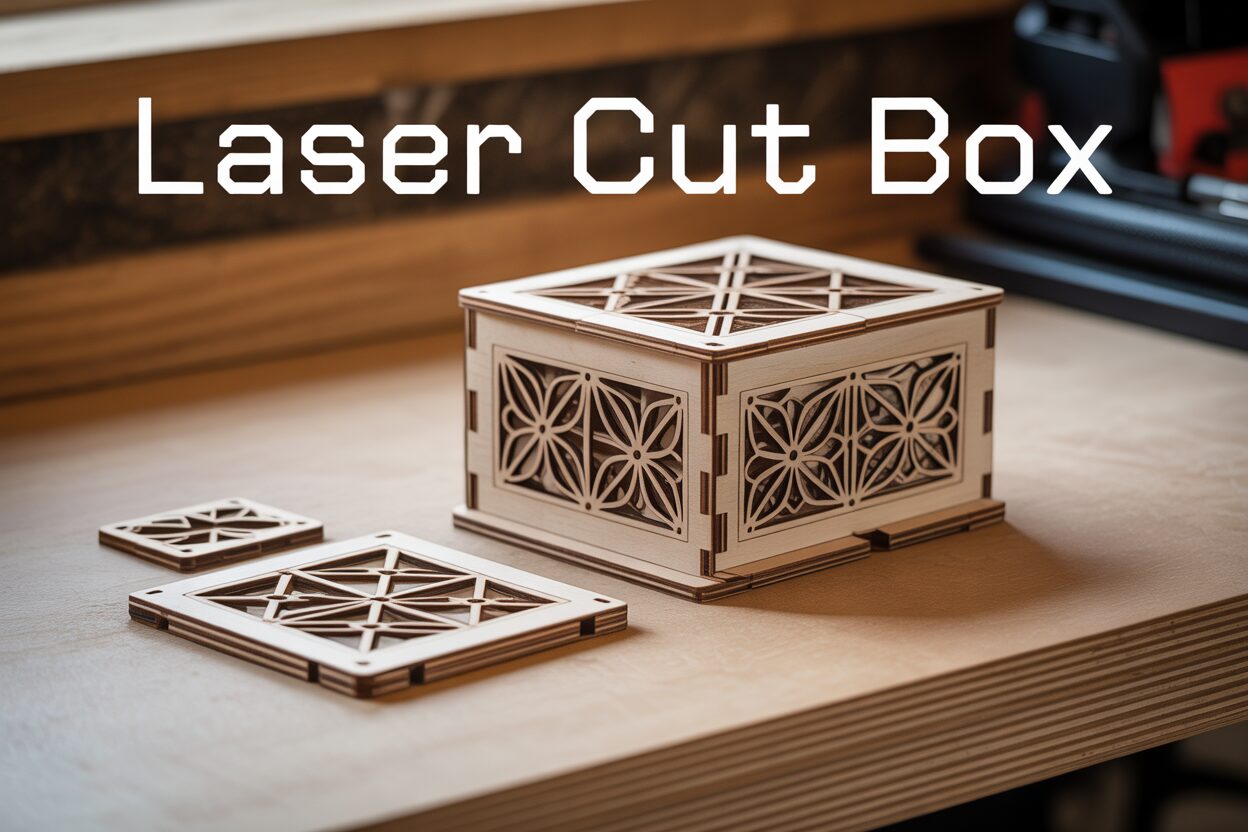
At its core, a laser cut box design involves creating a series of flat, 2D panels that interlock to form a 3D object. The method of interlocking is what gives the box its strength and character. The most common and effective joint type is the finger joint (also known as a box joint). These are interlocking tabs cut into the edges of two panels that slot together to form a strong 90-degree corner. The key to a good finger joint is ensuring the width of the tab is precisely equal to the thickness of your material, allowing the faces to sit flush when assembled. For projects requiring curves or flexibility from a single piece of material, the living hinge is an ingenious solution. A living hinge is a pattern of carefully spaced cuts made in a rigid material like plywood or acrylic that allows it to bend. This technique is perfect for creating boxes with rounded corners or roll-top lids, transforming a flat sheet into a dynamic, flexible component.
Interested in more Boxes? Check out our Boxes laser file designs: Click here!
From Concept to Cut-Ready File
There are two primary paths to obtaining your final laser cut box file. For maximum customization, you can design it from scratch. This involves meticulously drawing each panel—top, bottom, and all four sides—in your chosen vector software. You’ll need to manually add the finger joints to each edge, ensuring that a tab on one panel corresponds perfectly with a slot on its adjoining panel. While this method offers complete creative freedom, it requires precision and a good understanding of spatial relationships. A much faster and more beginner-friendly approach is to use an online box generator like MakerCase or Boxes.py. These web-based tools allow you to simply input your desired dimensions (height, width, depth), material thickness, and preferred joint type. The generator then automatically creates a perfectly measured, downloadable laser cut box file (usually in SVG or DXF format) that you can import into your software for further customization, like adding engravings or cutouts.
Navigating Common Design Traps
A perfect digital design can be ruined by a few common, easily avoidable mistakes. The most critical factor to consider is kerf. The laser beam isn’t infinitely thin; it vaporizes a small amount of material as it cuts, and this width is the kerf. For a box that relies on a snug, press-fit assembly, you must account for this. If you design your tabs and slots to be the exact same size, the kerf will make the slots slightly larger and the tabs slightly smaller, resulting in loose, wobbly joints. To counteract this, you need to apply kerf compensation, which involves slightly adjusting your design so the final cut pieces fit tightly. The exact kerf value depends on your laser, its settings, and the material, so it’s essential to perform a small test cut on a scrap piece first. Other pitfalls to watch for include double lines stacked on top of each other, which will cause the laser to cut the same path twice, and vector paths that aren’t fully closed. Finally, always ensure your lines are set to the correct color and stroke weight required by your specific laser cutter to differentiate between cutting, scoring, and engraving operations.
Preparing Your Materials and Laser Cutter
With your digital blueprint complete, the next step is to bridge the gap between screen and reality by choosing your material and preparing the laser cutter. The material you select is the very soul of your project, defining its look, feel, and durability. For a classic and sturdy laser cut wood box, several options stand out, each with unique characteristics. Birch Plywood is a top contender, prized for its strength, light color, and attractive layered edge profile. It engraves beautifully and provides a professional finish. However, be aware that the internal glue layers can sometimes contain voids or harder spots, which may lead to inconsistent cuts if your settings aren’t dialed in perfectly. Another popular choice is MDF (Medium-Density Fiberboard). As an engineered wood product, MDF has no grain and offers exceptional consistency, resulting in incredibly clean and predictable cuts. It’s an excellent canvas for painting but lacks the natural aesthetic of real wood. When handling MDF, ensure your workspace has excellent ventilation, as cutting it produces fine dust. For a more premium feel, you can also use solid hardwoods like cherry or walnut, but be mindful that their grain can influence the cut and they are more prone to warping if not perfectly flat.
Calibrating Your Laser for a Perfect Cut
Before you place your final material in the machine, it’s crucial to properly calibrate the laser cutter. This setup process ensures safety, precision, and a high-quality result.
- Position Your Material: Lay your wood sheet on the laser bed, ensuring it is as flat as possible. Any warping or bowing will alter the focus distance and lead to inconsistent cuts. Use honeycomb pins or small magnets (if your bed is magnetic) to hold down the corners and keep the material perfectly level.
- Focus the Laser: This is perhaps the most critical step for achieving a clean, thin cut. The laser beam is cone-shaped, and its cutting power is concentrated at the very tip. An out-of-focus laser will result in a wider cut (a larger kerf), angled edges, and excessive burning. Most machines come with a focusing tool—a small block or an automated probe—to set the correct distance between the laser nozzle and the material’s surface. Always double-check your focus before every job.
- Set Power and Speed: Every material and thickness requires a unique combination of power and speed. For a laser cut wood box using 3mm birch plywood, for example, you might start with a setting of 60% power and a speed of 15mm/s. A thicker material would require more power or a slower speed. Remember the rule: slow speed and high power cut deeper, while fast speed and low power are for engraving or scoring.
- Perform a Test Cut: Never run a full project on a new material without first performing a test. Cut a small, simple shape, like a one-inch square, on a scrap piece of the exact same wood. This test serves two purposes: it confirms your power and speed settings are correct (the square should fall out cleanly without being pushed), and it allows you to precisely measure the kerf for any last-minute design adjustments. Check the back of the test piece for “flashback”—heavy charring from the laser reflecting off the bed—and adjust settings or raise your material if needed.
Once your test cut is successful and you are confident in your settings, you are ready to send your final laser cut box file to the machine.
Assembling and Finishing Your DIY Laser Cut Box
The hum of the laser has faded, and you are left with a collection of perfectly cut wooden panels, smelling faintly of toasted wood. This is where the magic truly happens, as you transform these flat pieces into a three-dimensional object. Before reaching for any adhesive, perform a “dry fit.” Carefully slot all the pieces of your DIY laser cut box together without any glue. This crucial step allows you to check the fit of the joints and understand the assembly order. If any joints are excessively tight, a very light touch with a small file or sandpaper can ease the fit. Once you are confident that everything aligns perfectly, it’s time for the final assembly. Disassemble the box and lay the pieces out. Apply a thin, even bead of high-quality wood glue to the surfaces of the finger joints that will make contact. A small brush can help distribute the glue evenly. Reassemble the box one panel at a time, ensuring each corner is seated securely.
Securing and Curing the Structure
Once assembled, the box needs to be held firmly in place while the glue cures. For the strongest and most professional result, use clamps. Right-angle clamps are ideal for ensuring your corners are perfectly square (90 degrees). Apply just enough pressure to close any small gaps and hold the joints tight—too much pressure can squeeze out all the glue and weaken the bond. If you don’t have clamps, a simple but effective alternative is to use masking tape. Stretch pieces of tape tightly across the corners to hold the box together. Regardless of your method, use a damp cloth to immediately wipe away any excess glue that squeezes out of the joints. Dried glue beads are difficult to remove and will prevent stains or finishes from absorbing evenly. Allow the glue to cure for the duration recommended by the manufacturer, typically several hours or overnight, before moving on to the final touches.
Adding the Finishing Touches
With your box sturdily assembled, you can now elevate it from a simple construction to a polished piece. The first step is sanding. Using a medium-grit sandpaper (around 180-220 grit), lightly sand all flat surfaces and edges. This not only smooths the wood but also removes any minor smoke residue left over from the laser cutting process. Always sand in the direction of the wood grain to avoid creating visible scratches. For an exceptionally smooth finish, follow up with a finer grit paper (320 or higher). After sanding, wipe the entire box down with a tack cloth or a slightly damp rag to remove every speck of dust. Now you can apply your chosen finish.
- Stain: To enhance the natural beauty of the wood grain, apply a wood stain. Use a clean cloth to wipe it on, let it penetrate for a few minutes, and then wipe off the excess with another clean cloth.
- Paint: For a solid, opaque color—especially on MDF—first apply a coat of primer. Once dry, apply two or three thin coats of your chosen paint for a vibrant, even finish.
- Varnish or Polyurethane: For protection and a natural look, apply a clear coat. These are available in matte, satin, or gloss sheens. Apply thin, even coats with a brush or as a spray, lightly sanding with very fine sandpaper between coats for a professional-grade finish.
These final steps are what transform your project. A carefully applied finish can turn a functional DIY laser cut box into a beautiful laser cut gift box, a personalized keepsake perfect for storing jewelry, photos, or other treasures, making your creation a truly special and memorable gift.
Conclusions
You now have the knowledge to design, cut, and assemble a stunning laser cut wood box. This project is a fantastic way to enhance your skills and create personalized items for yourself or as gifts. Don’t be afraid to experiment with different designs and materials to make your DIY laser cut box truly unique and special.
Frequently Asked Questions
Q: What is the best software for designing a laser cut box?
A: For beginners or those wanting a quick result, online box generators like MakerCase are excellent. For full creative control and professional features, Adobe Illustrator is the industry standard, while Inkscape is a powerful and free alternative that is perfect for hobbyists and professionals alike.
Q: What is kerf and why is it so important?
A: Kerf is the width of material that the laser beam vaporizes as it cuts. It’s critical because if you don’t account for it, your joints will be loose. For a tight, press-fit box, you must apply kerf compensation in your design software, which slightly overlaps the cutting paths to make tabs bigger and slots smaller, resulting in a snug fit after the cut.
Q: What are the best materials for a laser cut box?
A: Birch Plywood is a popular choice for its strength, aesthetic appeal, and how well it engraves. MDF (Medium-Density Fiberboard) is another great option due to its consistency and smooth cutting, making it ideal for projects that will be painted. Both are widely available and relatively inexpensive.
Q: Do I really need to do a test cut?
A: Yes, absolutely. A small test cut on a scrap of the same material is essential. It allows you to verify that your power and speed settings are correct to cut cleanly through the material, and it gives you a physical piece to measure so you can determine the exact kerf of your laser for that specific material and make final adjustments to your design.

Subscribe to Our Newsletter
And enjoy FREE Download Files, SALE Alerts and Inspiring TIPS
A Comprehensive Guide to Pricing Your Laser Engraving Services
A Comprehensive Guide on How to Price Laser Engraving Services
How to Price Your Laser Engraving and Cutting Services
Charcuterie Board Engraving File – Wine & Grapes 3D Illusion…
$4.00Original price was: $4.00.$3.00Current price is: $3.00.(25% off)
Bee and Honey Jar Charcuterie Board Engraving File | PNG Download #007…
$4.00Original price was: $4.00.$3.20Current price is: $3.20.(20% off)
Valentine Love Captions: 6 Charcuterie Board Engraving Files…
$8.00Original price was: $8.00.$5.60Current price is: $5.60.(30% off)
American Eagle Flag Laser Engraving File for Charcuterie & Cutting…
$4.00Original price was: $4.00.$2.80Current price is: $2.80.(30% off)