

 Français
 Deutsch
 Español
 Italiano
A Guide to Creating Your Own Engraved Charcuterie Board
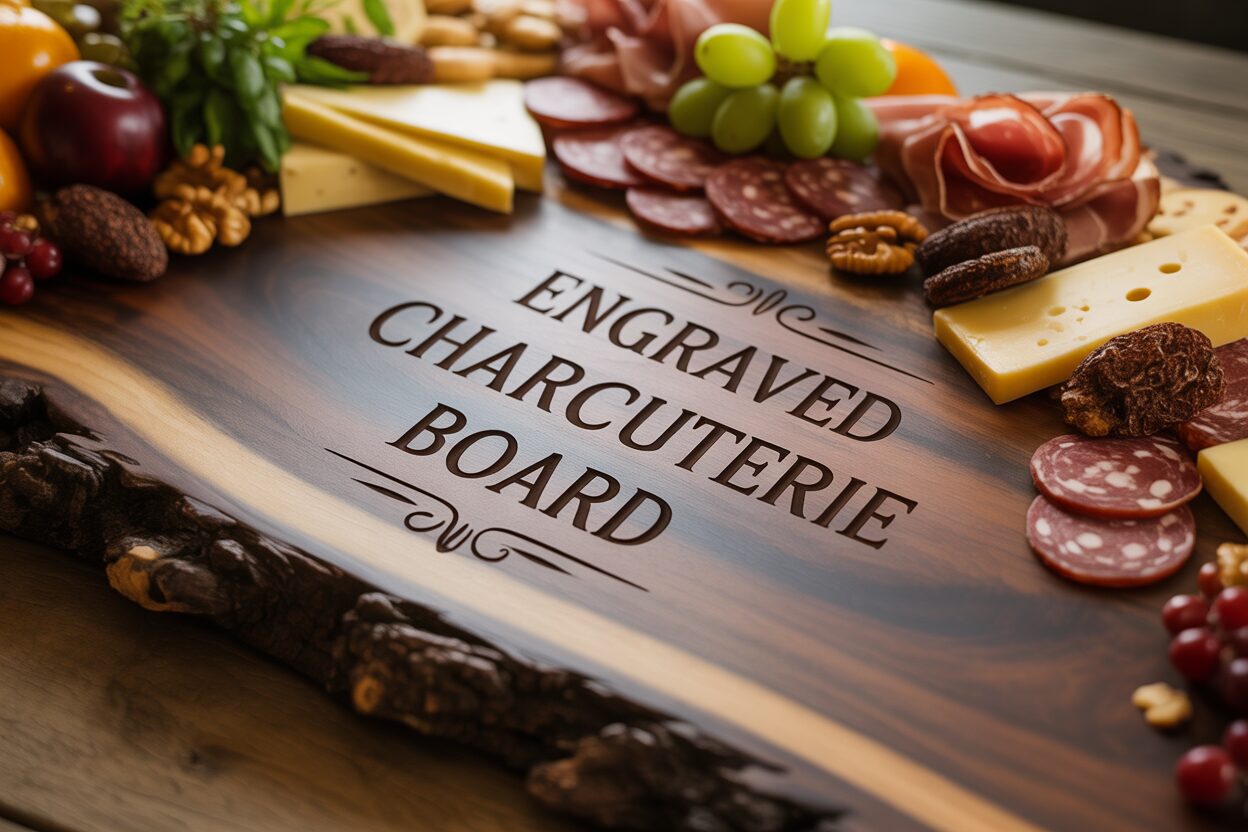
Dec
Estimated reading time: 8 minutes
Key Takeaways
- The choice of material is critical: woods like acacia, walnut, and maple offer different aesthetics and engraving results, while slate provides a modern, high-contrast alternative.
- Proper preparation is non-negotiable. Always start with a flat, smooth board, clean it thoroughly, and use high-quality vector designs for the sharpest results.
- Mastering laser settings (power and speed) is key. Always perform a test run on a scrap piece of the same material to dial in the perfect settings before engraving your final piece.
- Post-engraving finishing, especially cleaning and sealing with a 100% food-safe mineral oil or board cream, is essential to protect the board, enhance its beauty, and ensure it’s safe for serving food.
Table of Contents
- Discover the Art of Engraved Charcuterie Boards
- The Laser Engraving Process
- Finishing Touches and Care
- Conclusions
- Frequently Asked Questions
Discover the Art of Engraved Charcuterie Boards
Discover the art of creating a beautiful and unique engraved charcuterie board. This guide will walk you through the entire process, from selecting the perfect materials and design to the final finishing touches. Whether you’re a seasoned DIY enthusiast or a beginner, you’ll learn how to craft a personalized piece that is sure to impress your guests.
Interested in more Charcuterie Board? Check out our Charcuterie Board laser file designs: Click here!
Choosing Your Canvas and Design
The foundation of a breathtaking engraved charcuterie board is the board itself. Your choice of material, or “canvas,” dictates not only the final look and feel but also how the laser interacts with the surface. Let’s explore the best options to ensure your project starts on solid ground.
Wood is the classic choice, prized for its warmth and natural beauty. However, not all woods are created equal for engraving.
- Acacia: This popular choice boasts a rich, varied grain with beautiful color variations. It’s a very hard wood, making it durable and naturally water-resistant. The main drawback is that its inconsistent grain density can sometimes lead to an uneven engraving depth, where the laser burns darker in some spots and lighter in others. This can add to a rustic charm but is something to be aware of if you’re aiming for perfect uniformity.
- Walnut: For a luxurious, high-contrast finish, walnut is unmatched. Its deep, dark brown wood provides a stunning backdrop for laser engravings, which appear as a lighter, caramel color. It’s a premium hardwood that is relatively easy on knives and looks exceptionally elegant. The primary cons are its higher price point and its tendency to be more porous, requiring diligent sealing after engraving.
- Maple: Known for its light, creamy color and subtle, tight grain, maple is an engraver’s dream for intricate designs. The minimal grain pattern allows for incredibly fine details to be captured without distraction. The engraving creates a subtle, low-contrast burn that is sophisticated and clean. However, its light color makes it more susceptible to stains from foods like berries or cured meats.
For a completely different aesthetic, consider a slate charcuterie board. Slate offers a modern, rustic-chic appeal. When engraved, the laser ablates the dark gray surface to reveal the lighter stone underneath, creating a crisp, bright white design with superb contrast. Slate is non-porous and easy to clean, but it’s brittle and can chip. It’s also important to note that you should never cut directly on slate as it will severely dull your knives. It is best used for serving, not as a cutting surface.
From Store Shelf to Laser Bed: Selecting and Preparing Your Board
Once you’ve decided on a material, inspect your specific board carefully. A high-quality board for engraving should be perfectly flat, without any warping or bowing, which can cause focus issues with the laser. Run your hand over the surface; it should be smooth and free of major imperfections. Avoid boards with large knots, cracks, or glue seams running through your planned design area, as these will disrupt the engraving. Before engraving, a little preparation goes a long way. Even new boards can benefit from a light sanding with 220-grit sandpaper to create an impeccably smooth surface. Afterward, wipe it down with a lint-free cloth and isopropyl alcohol to remove all dust, oils, and residues. This simple step ensures the laser beam can work its magic on a pure, clean surface, resulting in a sharper, more consistent engraving.
Crafting Your Vision: Designing for Impact
The design is the soul of your personalized charcuterie board. A thoughtful design transforms it from a kitchen accessory into a cherished keepsake. Start by choosing a theme that suits the board’s purpose. Is it a wedding gift? Consider incorporating the couple’s last name and wedding date with elegant laurels or a floral motif. For a housewarming custom charcuterie board, a family name, an “Established” date, or a witty saying like “Home is where the good food is” works wonderfully. When incorporating text, font selection is critical. A flowing script can convey romance and elegance, while a clean, sans-serif font feels modern and bold. Always test your text for legibility, especially with complex names. The most successful designs strike a balance between graphic elements and text. Don’t overcrowd the board; negative space is important for a polished look. For best results, create or source your design as a vector file (like an SVG or AI file). Vector graphics use lines and curves instead of pixels, ensuring your design is perfectly crisp and scalable without losing any quality, which is paramount for a professional-looking finish.
The Laser Engraving Process
With your prepared board and digital design in hand, it’s time to bring your vision to life. The laser engraving process is where precision and technology meet artistry. While the exact steps vary slightly by machine, the core principles remain the same. The first step is preparing your digital file. Import your vector design (SVG, AI, DXF) into your laser cutter’s software. A critical, often-overlooked step is to convert all text elements into “outlines” or “paths.” This transforms the letters from editable text into fixed vector shapes, ensuring the laser computer reproduces them perfectly, regardless of whether it has the font installed. Most designs on a charcuterie board are “filled,” which means you will be using a raster engraving setting, where the laser moves back and forth like an inkjet printer, burning the image onto the surface line by line.
Dialing in the Perfect Settings
Setting up the machine correctly is the most crucial part of the entire process. First, securely place your charcuterie board on the laser bed. Ensure it is perfectly flat; any warping can lead to an out-of-focus and inconsistent engraving. Next, set the laser’s focus. The focal point is where the laser beam is at its narrowest and most powerful, and achieving a sharp focus is essential for a crisp, clean result. Your machine will have either an auto-focus function or a manual focusing tool. Now, let’s talk about power and speed—the two variables that control the darkness and depth of your mark. This is where the wisdom of “measure twice, cut once” comes into play. Always perform a test run on a scrap piece of the same material, or on an inconspicuous area like the back of the board. This allows you to dial in your settings without risking your final piece.
- For Wood: The goal is to create a controlled burn. The settings depend heavily on the wood’s density and your laser’s wattage. For a hardwood like maple on a 40W CO2 laser, a starting point might be 18-25% power at a speed of 300mm/s. A darker wood like walnut requires less power to achieve a visible mark. Remember, higher power and slower speeds result in a darker, deeper burn. The process is akin to creating a high-tech wood burning charcuterie board, but with digital precision that allows for incredibly fine details.
- For Slate: Engraving slate is a different process entirely. You aren’t burning it; you are ablating or fracturing the surface to reveal the lighter stone beneath. This requires very low power and high speed. A good starting point would be 10-12% power at 400-500mm/s. Too much power will melt or crack the slate, so it’s essential to start low.
Once your settings are dialed in from your test, position your design over the board in the software, double-check your focus, and send the job to the laser. Activate the machine’s ventilation system—this is non-negotiable, as it removes smoke and fumes. Start the engraving and monitor the process. While lasers are incredibly reliable, you should never leave a machine running unattended. You’ll watch as the laser head precisely traces your design, vaporizing the material and leaving behind your beautiful, permanent creation on your laser engraved cutting board.
Finishing Touches and Care
The laser has finished its precise work, but your project isn’t quite complete. The final steps—cleaning, sealing, and understanding long-term care—are what will elevate your piece from a simple engraved item to a durable, food-safe, and cherished work of art. This finishing process protects the material and brings out the true beauty of both the grain and your custom design.
The first step after removing the board from the laser bed is a thorough cleaning. For wood boards, the engraving process leaves behind a light layer of smoke and resin residue, particularly around the edges of the engraved area. To clean this, take a lint-free cloth or a soft-bristled brush (like a new toothbrush) and gently scrub the engraved area with isopropyl alcohol or a gentle cleaner like Simple Green. This will lift the residue without damaging the delicate wood fibers. Be careful not to use anything too abrasive that could scratch the surrounding surface. For a slate charcuterie board, the process is simpler. The “engraving” is actually fine stone dust. Simply wipe the surface clean with a damp cloth to remove all the dust, let it dry completely, and you’re ready for the next step.
Sealing for Beauty and Longevity
Sealing is arguably the most important finishing step for any wooden engraved charcuterie board. An unsealed wood board is like a sponge; it will readily absorb moisture, oils, and bacteria from food, leading to stains, warping, and potential contamination. Applying a food-safe finish creates a protective barrier that repels moisture and makes the board easier to clean. It also deeply enriches the color of the wood, making the grain pop and providing a beautiful, subtle contrast that enhances your engraving. For slate, sealing is optional but recommended. A food-safe slate sealer will darken the slate to a rich charcoal gray and help it resist fingerprints and oils.
When choosing a finish, it is absolutely essential that it is 100% food-safe.
- Food-Grade Mineral Oil: This is the most common and effective choice. It’s an inert, non-drying oil that penetrates deep into the wood pores to hydrate and protect from within. Never use cooking oils like olive or vegetable oil, as they will go rancid over time.
- Board Cream/Conditioner: These products are typically a blend of mineral oil and a natural wax, like beeswax or carnauba wax. The oil penetrates the wood, while the wax creates a more robust, water-resistant barrier on the surface. This is an excellent option for a silky-smooth finish and added protection.
To apply the finish, pour a generous amount of oil or cream onto the clean, dry board. Using a lint-free cloth, work the finish into the wood in a circular motion, ensuring you cover every surface, including the engraved areas and the sides. Don’t be shy with it; the wood will drink it up. Let the board sit for at least four hours, or preferably overnight, to allow the finish to fully penetrate. Afterward, take a clean cloth and buff off any excess. Your personalized charcuterie board will now have a beautiful, deep luster.
Maintaining Your Masterpiece
Proper care will ensure your board lasts for years. Always hand wash it with mild soap and warm water immediately after use—never soak it or put it in the dishwasher, as this will cause it to crack and warp. After washing, dry it immediately with a towel and let it air dry completely, preferably standing on its edge. To keep the wood hydrated and protected, reapply a coat of mineral oil or board cream every month, or whenever the board starts to look dry or faded. With this simple maintenance routine, your custom creation will remain a stunning and functional centerpiece for countless gatherings to come.
Conclusions
With the right tools and a little creativity, you can craft a stunning engraved charcuterie board that is both functional and beautiful. This personalized piece is perfect for any occasion and makes a thoughtful gift. We hope this guide has inspired you to create your own custom charcuterie board and explore the endless possibilities of laser engraving.
Frequently Asked Questions
Q: What’s the best wood for a beginner to engrave?
A: Maple is an excellent choice for beginners. Its light color and subtle, tight grain are very forgiving, allowing fine details to show up clearly without being obscured by heavy wood patterns. It provides a clean canvas for learning how to dial in laser settings.
Q: Can I use olive oil to seal my charcuterie board?
A: No, you should never use common cooking oils like olive, vegetable, or coconut oil to season a board. These oils are not inert and will eventually go rancid, creating a foul smell and a sticky surface. Always use 100% food-grade mineral oil or a specially formulated board cream containing mineral oil and beeswax.
Q: Is it safe to cut on a laser-engraved board?
A: On a wooden board, yes. Once cleaned and sealed with a food-safe finish, the engraved area is perfectly safe for contact with food and can be cut on. However, be aware that heavy knife use can mar the surface and the design over time. You should never cut directly on an engraved slate board, as it is brittle and will severely dull your knives.
Q: Do I absolutely need a vector file for my design?
A: While you can engrave with a high-resolution raster file (like a PNG or JPG), a vector file (like an SVG, AI, or DXF) is highly recommended for the best results. Vector graphics are made of mathematical paths, not pixels, ensuring the laser can create perfectly sharp, clean lines at any size. This is crucial for professional-looking text and intricate logos.

Subscribe to Our Newsletter
And enjoy FREE Download Files, SALE Alerts and Inspiring TIPS
A Comprehensive Guide on How to Price Laser Engraving Services
How to Price Your Laser Engraving and Cutting Services
The Ultimate Guide to Crafting a Laser Cut Box
Charcuterie Board Engraving File – Wine & Grapes 3D Illusion…
$4.00Original price was: $4.00.$3.00Current price is: $3.00.(25% off)
Bee and Honey Jar Charcuterie Board Engraving File | PNG Download #007…
$4.00Original price was: $4.00.$3.20Current price is: $3.20.(20% off)
Valentine Love Captions: 6 Charcuterie Board Engraving Files…
$8.00Original price was: $8.00.$5.60Current price is: $5.60.(30% off)
American Eagle Flag Laser Engraving File for Charcuterie & Cutting…
$4.00Original price was: $4.00.$2.80Current price is: $2.80.(30% off)