

 Français
 Deutsch
 Español
 Italiano
A Comprehensive Guide to Laser Engraving Slate Coasters
Dec
Estimated reading time: 7 minutes
Key Takeaways
- Superior Material: Slate is an exceptional choice for coasters due to its natural durability, heat resistance, and the stunning high-contrast white mark it produces when laser engraved.
- Technique is Key: Achieving professional results requires careful preparation, including cleaning the slate, and using calibrated laser settings—typically low power at high speed—to alter the surface rather than cutting into it.
- Pre-Coating for Contrast: Applying a very thin layer of clear matte lacquer before engraving can significantly enhance the brightness and vibrancy of the white mark.
- Design File Quality Matters: Use high-quality digital files for the best outcome. Vector files (SVG) are ideal for logos and text, while high-resolution raster images (300 DPI PNG/JPG) are necessary for detailed photo engravings.
Table of Contents
- Why Choose Slate for Your Coaster Projects
- Mastering the Art of Laser Engraving on Slate
- Creative Slate Coaster Design Ideas and Digital Files
- Conclusions
- Frequently Asked Questions
Uncover the art of transforming simple slate coasters into personalized masterpieces. This guide offers a deep dive into the techniques of laser engraving slate coasters, providing you with the knowledge to create durable, elegant, and custom designs. Ideal for gifts, home décor, or even starting a small business, laser-engraved slate coasters are a versatile and profitable project.
Why Choose Slate for Your Coaster Projects
When selecting a material for your laser engraving projects, the canvas you choose is just as important as the design you create. While wood, glass, and acrylic all have their merits, slate holds a special place in the world of laser crafting, particularly for coasters. Its unique combination of natural elegance, rugged durability, and exceptional compatibility with laser technology makes it an unparalleled choice. Slate isn’t just a surface; it’s a statement piece, offering a foundation of timeless beauty that elevates any design you etch onto it.
The primary appeal of slate lies in its raw, natural aesthetic. Formed over millions of years from fine-grained sedimentary rock under intense heat and pressure, each piece of slate tells a geological story. Its characteristic dark gray and black tones are rich and deep, providing a stunning, high-contrast background for laser engravings. Unlike manufactured materials, slate possesses subtle variations in color, texture, and layering. The edges are often hand-chipped or ‘riven’, revealing the natural cleavage planes of the rock and giving each coaster a rustic, one-of-a-kind character. This inherent uniqueness means that no two coasters are ever identical, adding an artisanal quality that mass-produced items simply cannot replicate.
Built for Functionality and Longevity
Beyond its visual appeal, slate is an incredibly practical material for a coaster. Its properties seem almost tailor-made for the task of protecting surfaces. Firstly, slate is exceptionally durable. It’s a dense, hard-wearing rock that resists scratches, chips, and daily wear and tear far better than materials like ceramic or cork. This resilience ensures that your engraved creations will not only look beautiful but will also last for years, serving as a lasting memento or a reliable piece of home décor. Secondly, and perhaps most importantly for a coaster, slate is highly heat-resistant. You can place a steaming hot mug of coffee directly on a slate coaster without any fear of it cracking, discoloring, or transferring heat to the table underneath. Similarly, its low porosity helps it handle condensation from cold drinks, and with small felt or cork feet often applied to the bottom, it provides a stable, non-slip base that protects furniture from any potential scratches.
The Ideal Medium for Laser Engraving
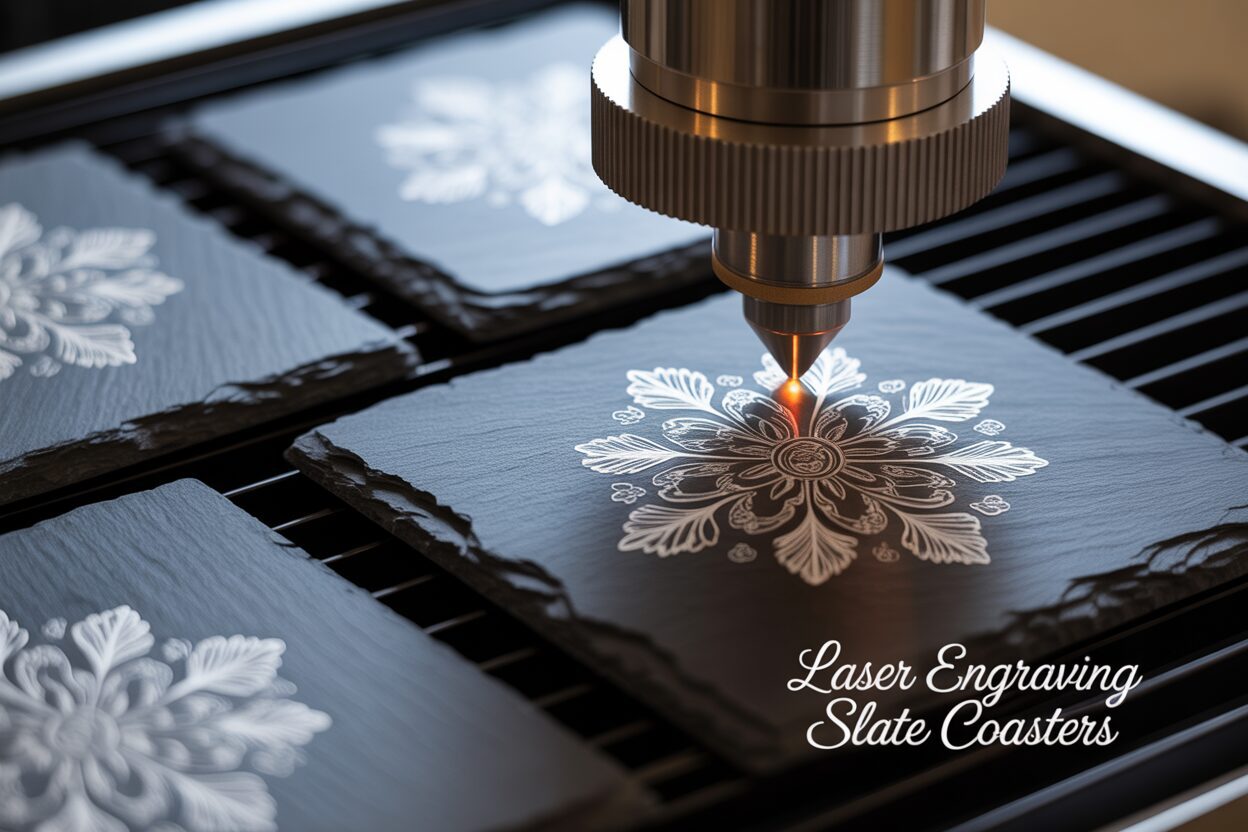
What truly sets slate apart for laser artists is how perfectly it reacts to the laser beam. Unlike wood, which the laser burns and vaporizes to create depth, or glass, which it fractures to create a frosted effect, the interaction with slate is different. The focused energy from the laser doesn’t so much carve the slate as it does alter its surface composition. The intense heat causes a micro-ablation and chemical change in the slate’s minerals, bleaching the dark surface to a permanent, light gray or almost white mark. This process creates an incredibly sharp and vibrant contrast that makes even the most intricate designs and fine text pop. The fine, consistent grain of the slate allows for stunning levels of detail, making it possible to produce photorealistic images, complex logos, and crisp typography with ease. This beautiful, high-contrast result is achieved without any need for color fills or additional treatments, making the process efficient and the outcome naturally striking. This perfect marriage of material and technology is why creating personalized slate coasters has become such a popular and rewarding venture for hobbyists and professionals alike, offering a premium product that is both beautiful and built to last.
Mastering the Art of Laser Engraving on Slate
Transitioning from understanding why slate is the perfect material to actually engraving it requires a methodical approach. The process of how to laser engrave slate is less about brute force and more about finesse. Achieving that brilliant, high-contrast white mark is a result of careful preparation, precise settings, and a bit of testing. With the right technique, you can consistently produce professional-quality coasters that highlight the natural beauty of the stone.
The first step, and one that should never be skipped, is preparation. Slate coasters often arrive with a fine layer of dust from the cutting and shipping process. Begin by cleaning the surface thoroughly with a damp cloth or a wipe of isopropyl alcohol. This ensures that the laser interacts directly with the slate, not with a layer of grime, which can lead to inconsistent results. Once clean and dry, you have an optional but highly recommended step to consider for achieving the brightest white engraving: pre-coating. Applying an extremely thin, even layer of a clear matte or semi-gloss lacquer and allowing it to dry completely can dramatically improve contrast. Some crafters also find success with a thin film of mineral oil or even dish soap. This thin layer acts as a catalyst; when the laser hits it, the combustion helps to bleach the minerals in the slate more effectively, resulting in a whiter, more vibrant mark.
Calibrating Your Laser for Perfect Results
Finding the ideal slate engraving settings is the most critical part of the process and will vary between machines. The fundamental principle is that you want to use relatively low power at a high speed. Unlike wood, you are not trying to burn away material to create depth; you are trying to change the color of the stone’s surface. A great starting point for a 40W CO2 laser might be around 15-20% power at 300-400 mm/s. For diode laser slate engraving, the approach is similar, though the absolute values will differ. A 10W diode laser might start at 80% power and a speed of 3000 mm/min. The key is to test. Always use a scrap piece of slate or the back of one of your coasters to run a power/speed test grid. This will show you exactly how different combinations affect the outcome, allowing you to pinpoint the setting that produces the cleanest white without causing the slate to flake or become ‘glassy’ from too much heat. Also, pay close attention to your focus; sometimes, defocusing the laser by just a millimeter or two can soften the beam’s energy just enough to produce a whiter, less harsh engraving. For resolution, an LPI (Lines Per Inch) of 250-350 is usually sufficient to create a solid, crisp image.
Once your settings are dialed in, the engraving process is straightforward. Secure the coaster to your laser bed, frame your design to ensure perfect placement, and run the job. After the laser has finished, you’ll notice a fine layer of dust or residue on the engraved area. Do not be alarmed; this is normal. Gently clean the coaster with a damp cloth or a soft brush, like a toothbrush, to remove this residue. You will see the crisp white design emerge from underneath. For a final touch, you can wipe the entire coaster with a drop of food-safe mineral oil. This will deepen the dark color of the slate, making the white engraving pop even more, while also giving the coaster a beautiful, finished luster.
Creative Slate Coaster Design Ideas and Digital Files
With the technical process of engraving mastered, the next frontier is unleashing your creativity. The dark, textured surface of a slate coaster is a versatile canvas waiting for your artistic vision. The possibilities for slate coaster design ideas are virtually endless, ranging from elegant simplicity to breathtaking complexity. The key is to match the design to the occasion, the recipient, or the décor it will complement. For timeless and popular options, consider personalization. Monograms, family names, or important dates (like weddings or anniversaries) are always a hit. You can also engrave meaningful quotes, inside jokes, or excerpts from favorite poems or songs. Thematic sets are another fantastic avenue; think of a series of four coasters featuring different woodland animals, celestial patterns, nautical symbols, or intricate geometric or mandala designs. For the ultimate personalized gift, photo engraving allows you to etch cherished memories directly onto stone, creating a truly unique and sentimental keepsake.
Sourcing and Preparing Your Digital Designs
Once you have an idea, you need a high-quality digital file to bring it to life. For those with design skills, creating your own files in software like Adobe Illustrator, Affinity Designer, or Inkscape is the best way to ensure a unique result. For everyone else, the internet is a treasure trove of resources. Marketplaces like Etsy, Creative Fabrica, and Design Bundles offer millions of laser-ready files. For designs curated specifically for laser engraving and optimized for materials like slate, you can also browse dedicated collections, such as those found in our own webshop. When selecting a file, it’s crucial to understand the difference between vector and raster formats.
- Vector files (SVG, AI, DXF) are based on mathematical equations and create perfectly clean lines and shapes, no matter how much you scale them. They are ideal for text, logos, monograms, and intricate line-based patterns.
- Raster files (JPG, PNG, TIFF) are pixel-based and are used for photographs and complex, shaded images. For engraving, it is absolutely essential to start with a high-resolution raster image—at least 300 DPI (dots per inch) at the size you intend to engrave. A low-resolution image will result in a blurry, pixelated, and disappointing final product.
Preparing your chosen file is the final step before sending it to the laser. For vector files, you typically just need to ensure the lines are set to “fill” rather than “cut.” For raster images, especially photos, preparation is more involved. First, convert the image to grayscale. This removes color information, which is irrelevant for engraving, and lets you focus on light and shadow. Next, adjust the brightness and contrast. You often need to significantly increase the contrast to make the light and dark areas distinct, which translates better to the black-and-white nature of a slate engraving. Many laser software programs, like LightBurn, have built-in tools for this, including image-dithering options (like Jarvis or Stucki) that intelligently convert shades of gray into patterns of dots for a more detailed, photo-realistic result. Taking the time to properly source and prepare your digital file is just as important as perfecting your laser settings; it’s the foundation upon which a stunning engraved coaster is built.
Conclusions
Now you’re equipped with the expertise to create beautiful laser engraving slate coasters. Remember that precision and creativity are key. Don’t be afraid to experiment with different settings and designs to find your unique style. With the insights from this guide, you’re well on your way to mastering the art of slate engraving and producing stunning, high-quality coasters.
Frequently Asked Questions
Q: Why is slate a good material for laser engraved coasters?
A: Slate is ideal due to its natural durability, exceptional heat resistance, and its ability to produce a permanent, high-contrast white mark when engraved. This makes designs sharp, clear, and long-lasting, perfect for a functional and beautiful coaster.
Interested in more Coaster? Check out our Coaster laser file designs: Click here!
Q: What are the best starter laser settings for slate?
A: A good starting point is always low power and high speed. For a 40W CO2 laser, try 15-20% power at 300-400 mm/s. For a 10W diode laser, begin around 80% power at 3000 mm/min. Always perform a test grid on a scrap piece to fine-tune your settings for your specific machine.
Q: How can I achieve a brighter white engraving on slate?
A: After thoroughly cleaning the coaster, you can apply an extremely thin, even layer of a clear matte lacquer and let it dry completely before engraving. This acts as a catalyst when hit by the laser, helping to bleach the slate’s minerals more effectively for a whiter result.
Q: What kind of digital file should I use for engraving slate coasters?
A: It depends on your design. Use vector files (like SVG or AI) for clean lines, text, and logos. For photographs, you must use a high-resolution raster file (like JPG or PNG) of at least 300 DPI. Always prepare photos by converting them to grayscale and increasing the contrast before engraving.

Subscribe to Our Newsletter
And enjoy FREE Download Files, SALE Alerts and Inspiring TIPS
A Comprehensive Guide to Pricing Your Laser Engraving Services
A Comprehensive Guide on How to Price Laser Engraving Services
How to Price Your Laser Engraving and Cutting Services
Charcuterie Board Engraving File – Wine & Grapes 3D Illusion…
$4.00Original price was: $4.00.$3.00Current price is: $3.00.(25% off)
Bee and Honey Jar Charcuterie Board Engraving File | PNG Download #007…
$4.00Original price was: $4.00.$3.20Current price is: $3.20.(20% off)
Valentine Love Captions: 6 Charcuterie Board Engraving Files…
$8.00Original price was: $8.00.$5.60Current price is: $5.60.(30% off)
American Eagle Flag Laser Engraving File for Charcuterie & Cutting…
$4.00Original price was: $4.00.$2.80Current price is: $2.80.(30% off)