

 Français
 Deutsch
 Español
 Italiano
A Beginner’s Guide to Crafting a Laser Cut Box
Feb
Estimated reading time: 7 minutes
Key Takeaways
- Choose the Right Design File: Your project’s success starts with a quality design. You can use pre-made files, design from scratch, or use a box generator. Always ensure the design matches your material thickness and accounts for laser kerf.
- Material Selection Matters: For beginners, Baltic Birch or Basswood plywood is recommended due to its consistency and stability. MDF is excellent for painted projects, while solid wood offers a premium look but is more challenging to cut consistently.
- Calibrate with Test Cuts: Never run a full job without first performing a small test cut on a scrap piece of your material. This is essential for dialing in the perfect power and speed settings to ensure clean cuts without excessive burning.
- Finishing is Key to a Professional Look: Proper assembly with a dry fit and wood glue is crucial, but the final steps of sanding, staining or painting, and applying a protective sealant will elevate your DIY box from a simple construction to a finished piece.
Table of Contents
- Finding and Preparing Your Laser Cut Box Design
- How to Make a Laser Cut Box Step-by-Step
- Finishing and Customizing Your Wood Box Laser Cut
- Conclusions
- Frequently Asked Questions
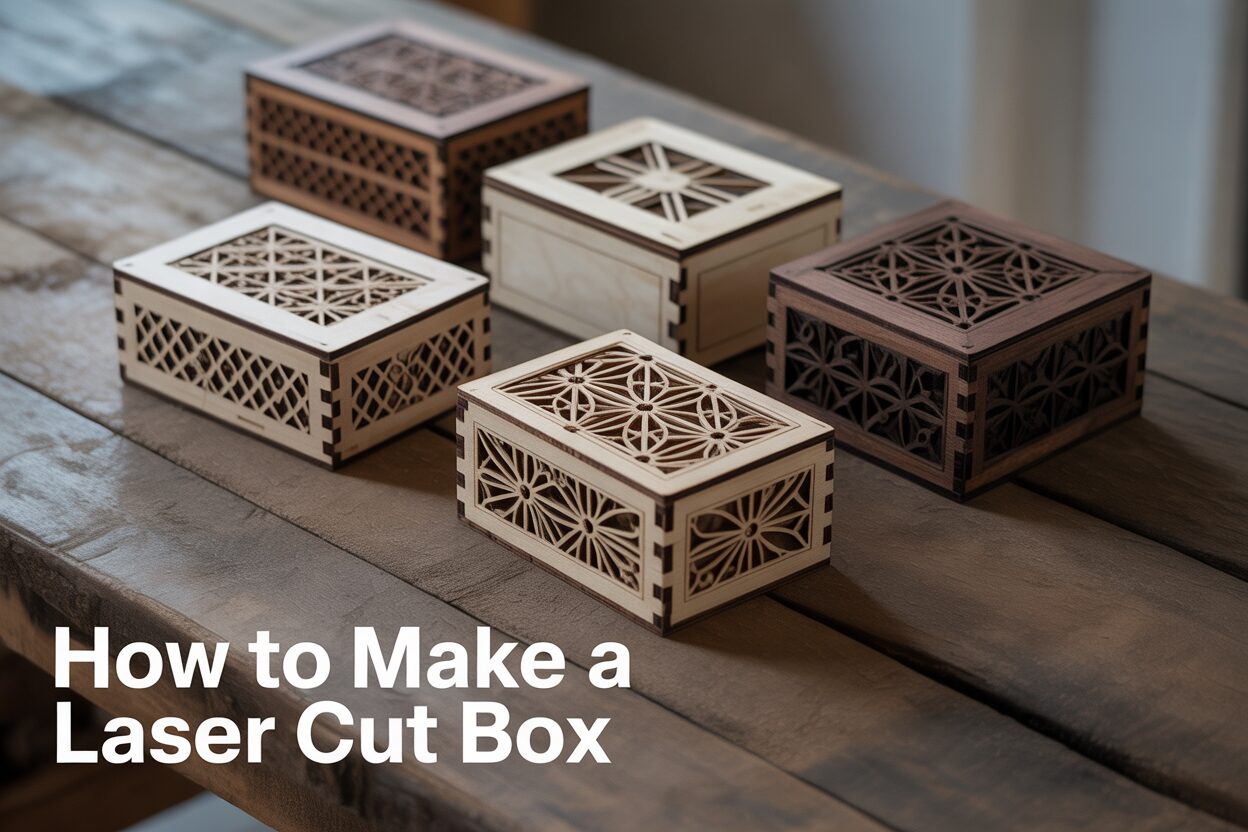
Dive into the world of laser cutting with our comprehensive guide to creating stunning wooden boxes. Whether you’re a seasoned maker or just starting, you’ll find valuable tips and tricks to bring your laser cut box design to life. We’ll explore everything from choosing the right laser cut box files to the final assembly of your DIY laser cut box, ensuring a beautiful and professional result.
Interested in more Boxes? Check out our Boxes laser file designs: Click here!
Finding and Preparing Your Laser Cut Box Design
The journey to your finished box begins with a design file, the digital blueprint your laser cutter will follow. You have two primary paths to get this file: using a pre-made design or creating a custom one. For beginners, starting with a pre-made laser cut box file is an excellent way to learn the ropes. Websites like Etsy, Thingiverse, and specialized laser design marketplaces offer thousands of options, many of which are free or inexpensive. The main advantage is speed; you can find and download a file in minutes. However, the design is not your own, and more importantly, it may not be optimized for your specific material thickness, requiring adjustments that can be tricky for a novice. Creating a custom design offers complete freedom over size, style, and features. This path is incredibly rewarding but requires proficiency in vector design software like Adobe Illustrator, Inkscape, or CorelDRAW, and a deeper understanding of design principles for laser cutting.
What to Look For in a Quality Box Design
Whether you download a file or design your own, several key elements determine its success. The most critical is the joint type, which dictates both the box’s strength and its aesthetic.
- Finger Joints: Also known as box joints, these are the most common and robust option. They consist of interlocking tabs that create strong, right-angle corners. A good design will have finger joints that account for ‘kerf’—the tiny amount of material vaporized by the laser beam. Without proper kerf compensation, your joints will be too loose.
- Living Hinges: This ingenious design consists of a pattern of cuts that allows a rigid material like plywood to bend. It’s perfect for creating boxes with rounded corners or flexible, wrap-around lids. Be aware that living hinges are more delicate than solid wood and work best with high-quality birch or basswood plywood.
Equally important is the specified material thickness. A design created for 3mm wood will not work with 5mm wood, as the slots and tabs will not fit together. A well-documented pre-made file will always state the material thickness it was designed for. Finally, consider the ease of assembly. Look for designs that are intuitive or come with instructions. Some complex designs can be a puzzle to assemble without guidance.
Using a Laser Cut Box Generator for Easy Customization
If pre-made files are too restrictive but full custom design is too daunting, a laser cut box generator is the perfect middle ground. These are free, web-based tools that automatically generate a complete design file based on your parameters. Websites like MakerCase and Boxes.py are popular choices. The process is simple: you enter your desired dimensions (height, width, depth), the exact thickness of your material, and choose a joint style. The most important setting is the kerf adjustment. You should perform a small test cut on your material to determine your laser’s kerf (typically around 0.1mm-0.2mm) and input that value to ensure your box fits together snugly. Once you’ve entered the parameters, the generator produces a downloadable SVG or DXF file, perfectly laid out and ready for the final preparation stage.
Final File Preparation for a Perfect Cut
Before sending your design to the laser, a final check in your vector software is essential. Laser cutters distinguish between different operations using line colors and thicknesses. The most common convention is:
- Cut Lines: A very thin vector line (often called a “hairline” or 0.01mm stroke) in a specific color, usually red.
- Engraving/Scoring: A different color, like blue for a light vector score (a shallow cut) or black for raster engraving (shading an area).
Always confirm these color settings with your specific laser cutter’s software. Ensure all shapes intended for cutting are closed paths; any gaps will result in an incomplete cut. Also, search for and delete any duplicate lines stacked on top of each other, as this will cause the laser to cut the same path twice, damaging the wood. Finally, arrange all the pieces of your wood box laser cut design efficiently on your artboard to match your material’s size, minimizing waste. This process, known as nesting, will save you both time and material.
How to Make a Laser Cut Box Step-by-Step
With your digital design finalized, it’s time to bring your box into the physical world. This process begins with selecting the right material, a choice that will significantly influence the look, feel, and durability of your final product.
- Plywood: Often the best choice for beginners, especially Baltic Birch or Basswood plywood. It’s relatively inexpensive, dimensionally stable, and its uniform composition allows for consistent cutting. Plywood is also the ideal material for designs incorporating living hinges due to its layered strength.
- MDF (Medium-Density Fiberboard): MDF is an engineered wood product that is extremely uniform, lacking any grain or knots. It cuts very cleanly and provides a perfectly smooth surface, making it the best option if you plan to paint your box. However, it’s less attractive in its raw state and the dust from cutting it is very fine, requiring excellent ventilation.
- Solid Wood: For a premium feel, nothing beats solid wood like cherry, walnut, or oak. The natural grain is beautiful, but it also presents a challenge. The density can vary throughout a single piece, potentially leading to inconsistent cuts. It is also more prone to warping and is generally more expensive. For your first DIY laser cut box, it’s best to start with plywood.
Setting Up the Laser Cutter and Running the Job
Before you press the ‘start’ button, you must dial in the correct settings for your specific machine and material. Laser settings are a balance between power and speed. A higher power setting and a slower speed will cut deeper. For a 3mm birch plywood, a common starting point on a 40-60W CO2 laser might be around 60% power and a speed of 15mm/s. However, these values are just a starting point. Always perform a test cut on a small scrap piece of the exact material you are using. This crucial step ensures your settings will cut cleanly through the wood without causing excessive charring or leaving parts uncut. Secure your wood sheet onto the laser bed, making sure it is perfectly flat—any bowing will affect the laser’s focus and the quality of your cut. Set the machine’s origin point (usually a top corner) and ensure your machine’s ventilation system is running. Safety is paramount: never leave a laser cutter running unattended and always have a fire extinguisher suitable for wood fires within arm’s reach.
Assembling Your Laser Cut Box
Once the laser has finished and the smoke has cleared, carefully remove the cut pieces from the machine. You will likely notice some light smoke residue on the surface, which can be easily cleaned off with a damp cloth or masked with painter’s tape before cutting. The first step in assembly is to perform a ‘dry fit’ by putting the box together without any glue. This allows you to check that all the joints fit correctly. If the joints are slightly too tight, a little bit of light sanding on the edges of the fingers will help. If they are too loose, it means your kerf setting in the design phase was slightly off, but a good quality wood glue will still create a strong bond.
For the final assembly, apply a thin, even layer of standard PVA wood glue to the faces of the finger joints on one piece. Connect it to its corresponding piece, ensuring the corners are square. Continue this process for all sides. Don’t use too much glue, as it will squeeze out and create a mess. Once assembled, use clamps, strong rubber bands, or painter’s tape to hold the box together firmly while the glue dries. Use a damp cloth to immediately wipe away any excess glue that squeezes out of the joints. Allow the box to dry for the time recommended by the glue manufacturer, typically several hours, before moving on to the final finishing touches.
Finishing and Customizing Your Wood Box Laser Cut
Your box is assembled, the glue is dry, and you now have a functional object. But the final steps of finishing and customization are what will transform your project from a simple construction into a cherished piece. The first and most important step is sanding. The laser cutting process often leaves a slightly darkened or sooty edge, which can be a desirable aesthetic. However, the flat surfaces may have some smoke residue and the overall feel can be improved with a light sanding. Start with a medium-grit sandpaper, around 180-grit, and sand all exterior surfaces, moving with the grain of the wood. This will remove any residue, smooth out imperfections, and prepare the wood to accept a finish. Follow up with a finer 220-grit paper for an exceptionally smooth touch. Be careful around the finger joints, as you don’t want to round them over too much. Once sanded, wipe the entire box down with a clean, dry cloth to remove all dust.
Applying Stains and Protective Finishes
With the surface prepared, you can now enhance and protect the wood. This is where your wood box laser cut truly comes to life.
- Staining: To add color while preserving the wood grain, a wood stain is the perfect choice. Apply it with a clean rag or foam brush, let it penetrate for a few minutes, and then wipe off the excess with another clean rag. Staining before assembly is also an option and can make it easier to get an even coat without it pooling in the corners.
- Painting: If you used MDF or simply want an opaque, solid color finish, acrylic paint works wonderfully. Apply a primer first for the best adhesion and finish with several thin coats of your chosen color.
- Sealing: A sealant is essential to protect the wood from moisture, dirt, and wear. A spray-on polyurethane or lacquer is an easy-to-apply option that provides a durable, protective shell in various sheens (matte, satin, or gloss). For a more natural, hand-rubbed look, consider using a Danish oil or a wax finish. These finishes penetrate the wood rather than sitting on top, providing a beautiful feel that enhances the natural texture of the material. Always apply finishes in a well-ventilated area.
Creative Customization Ideas
The real joy of a DIY laser cut box is making it uniquely yours. The possibilities for personalization are nearly endless. One of the most common and effective customizations is laser engraving, which should be planned during the design phase. You can engrave a name, a meaningful quote, a logo, or an intricate pattern onto the lid or sides of the box before you cut the pieces out. For an added touch of luxury, consider lining the inside of your box with felt or soft fabric. Simply cut a piece of the material to the exact size of the box’s bottom panel and use a spray adhesive to secure it in place after assembly and finishing. You can also elevate your design by incorporating other materials. Create a lid with a transparent acrylic window, add a small leather strap as a handle, or install miniature brass hinges and a clasp for a classic, functional touch. These final details are what will make your box a truly professional and personal creation.
Conclusions
You now have the knowledge and skills to create your own beautiful laser cut box. With the right laser cut box files and a bit of practice, you can create unique and personalized boxes for any occasion. Don’t be afraid to experiment with different wood box laser cut designs and techniques to create truly one-of-a-kind pieces. Happy crafting!
Frequently Asked Questions
Q: What is the most important setting when using a laser cut box generator?
A: The most critical setting is the kerf adjustment. You must perform a test cut on your material to determine your laser’s specific kerf (the amount of material it removes) and input this value into the generator. This ensures the finger joints will fit together snugly and securely.
Q: What is the best type of wood for a beginner’s first laser cut box?
A: Plywood, specifically Baltic Birch or Basswood plywood, is the best choice for beginners. It is inexpensive, dimensionally stable, and its uniform composition leads to consistent and reliable cuts. It is also the ideal material for designs that feature living hinges.
Q: Why is a test cut so important before cutting my final box pieces?
A: A test cut is essential to calibrate the laser’s power and speed settings for your specific material. This small test ensures the laser will cut cleanly all the way through the wood without leaving parts uncut or causing excessive charring and scorching, saving you time and material.
Q: My box joints are too loose. What went wrong?
A: Loose joints are almost always caused by an incorrect kerf setting in the design phase. If the kerf compensation was not enough (or was absent), the slots will be slightly too large for the tabs. While good wood glue can still create a strong bond, for future projects you will need to increase the kerf value in your design software or box generator.

Subscribe to Our Newsletter
And enjoy FREE Download Files, SALE Alerts and Inspiring TIPS
How to Find and Use the Best Laser Engraving Files for Wood and Slate Projects
Pricing Your Laser Engraved Products for Profit
A Comprehensive Guide on How to Price Laser Engraving Jobs
Charcuterie Board Engraving File – Wine & Grapes 3D Illusion…
$4.00Original price was: $4.00.$3.00Current price is: $3.00.(25% off)
Bee and Honey Jar Charcuterie Board Engraving File | PNG Download #007…
$4.00Original price was: $4.00.$3.20Current price is: $3.20.(20% off)
Valentine Love Captions: 6 Charcuterie Board Engraving Files…
$8.00Original price was: $8.00.$5.60Current price is: $5.60.(30% off)
American Eagle Flag Laser Engraving File for Charcuterie & Cutting…
$4.00Original price was: $4.00.$2.80Current price is: $2.80.(30% off)